
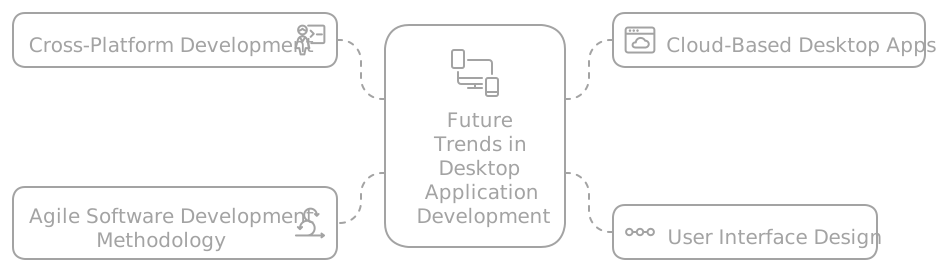
In the age of mobile and web, the desktop remains where serious work gets done: design, editing, analysis, and professional tooling that demand the power, the screen, and the control only a desktop app delivers. Far from disappearing, the desktop is reinventing itself: today it is built with web technologies, runs the same on Windows, macOS, and Linux, syncs data to the cloud, and treats security as a foundation rather than an afterthought. For any business that relies on professional software, understanding where the desktop is headed has stopped being a technical detail and become a business decision.
Here are the trends shaping the road ahead, the ones worth keeping on your radar:
- Web technologies on the desktop: Electron and Tauri to build with reusable code and lighter apps.
- Truly cross-platform: a single codebase for Windows, macOS, and Linux.
- Cloud sync: data that follows the user across devices without friction.
- Security by design: signed updates, encryption, and scoped permissions from the start.
- Built-in artificial intelligence: assistants, automation, and analysis inside the application itself.
Web technologies on the desktop
For years, building a desktop app meant mastering different languages and toolkits for each operating system. That has changed. Frameworks like Electron and Tauri let you build desktop applications with the same technologies that power the web (HTML, CSS, and JavaScript), reusing skills and much of the code between the web version and the desktop one. The result is faster development, smaller teams, and a consistent experience no matter where the product runs.
Tauri, in particular, was born as an answer to the most common criticism of this approach: resource usage. Instead of bundling a full browser inside every app, it taps into the system’s own rendering engine, which produces smaller binaries and a more restrained memory footprint. For anyone building custom software, that difference translates into applications that feel quick even on modest machines.
- A single knowledge base: the same team that maintains the web can handle the desktop, with no need to hire separate specialists.
- Access to native APIs: these frameworks expose the file system, notifications, and hardware, so the app does not fall short of a fully native one.
- Lighter apps with Tauri: small binaries and lower memory use, ideal for tools that live alongside other open applications.
- Fast iteration: shipping an improvement on the web and mirroring it on the desktop stops being a separate project and becomes part of the same flow.
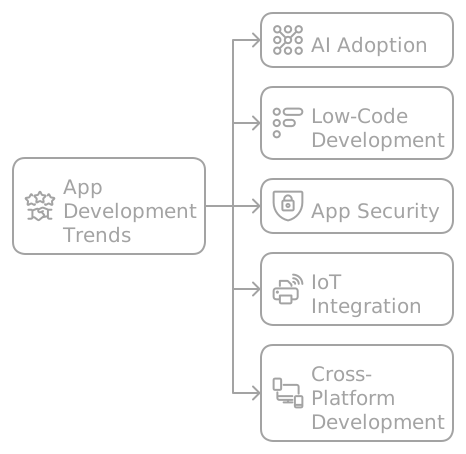
Truly cross-platform
Today’s user does not think in operating systems: they expect their tool to work the same on the work laptop, the home machine, and the client’s computer, regardless of brand. That expectation turned portability into a requirement, not a luxury. Modern approaches make it viable to maintain a single codebase for Windows, macOS, and Linux, instead of funding three parallel builds that sooner or later drift out of sync with one another.
The underlying benefit is economic before it is technical. Every additional platform covered by the same code widens the potential market without multiplying cost, and lowers the risk of a feature arriving late on one system because “the other team was moving faster.” For a startup, that can be the difference between reaching all of its users and leaving a slice of them behind for lack of hands.
- More reach with less effort: a simultaneous release across three systems, not three separate calendars.
- Consistent experience: the same logic and the same design everywhere, which reduces bugs and support load.
- Lower maintenance cost: fix a defect once instead of three times across three codebases.
- A clear path to scalability: adding a new platform becomes incremental rather than a project from scratch.
“Simplicity is the ultimate sophistication.” The line, long tied to Leonardo da Vinci’s thinking and embraced by Steve Jobs as a product philosophy, captures why one well-built codebase beats three maintained halfway.
Interface design: less is more
Power means nothing if the interface gets in the way. That is why user experience design moved to the center of desktop development: it is no longer enough for the app to work, it has to be understood at first glance and stay pleasant to use for hours. The dominant trend is minimalism done right, which does not mean stripping out features but rather prioritizing what matters and giving the rest room to breathe.
Modern desktop apps also pick up the habits users now take for granted across the rest of their digital lives. Dark mode stopped being a quirk and became an expected option in any tool meant for long sessions. Micro-interactions (that small animation confirming a button responded) make the application feel alive and predictable. And accessibility, far from being an extra, widens the audience and usually improves the experience for everyone.
- Purposeful minimalism: less visual noise and a focus on the actions the user actually needs.
- Dark mode by default: easier on the eyes during long sessions and respectful of system preferences.
- Micro-interactions: immediate feedback that makes the interface more intuitive and less frustrating.
- Real accessibility: contrast, keyboard navigation, and screen-reader support as part of the design, not a patch.

“A good interface is like a joke: if you have to explain it, it’s not that good.” The idea, popular among designers, captures the goal of all good UX: that the user moves forward without needing a manual.
Cloud sync and continuous work
The line between desktop and cloud is blurring fast. Modern applications save, sync, and share data seamlessly across devices, so a user starts a task on their laptop and continues it on another machine without losing the thread. That continuity turns a desktop app into part of a connected ecosystem rather than an island that lives only on one machine.
The force behind this trend is remote and hybrid work, which made reaching your tools from anywhere essential. The cloud also shifts much of the heavy lifting onto the developer: backups, automatic updates, and computing power that scales with demand, without asking the user to invest in hardware. The subscription model of suites like Adobe’s showed the way: software stops being a box you buy once and becomes a service that evolves alongside you.
- Continuity across devices: the work state travels with the user, with no manual exporting or copying of files.
- Transparent backup and updates: less risk of data loss and always the latest version on hand.
- Scalability on demand: infrastructure grows when needed and shrinks when it does not, without overinvesting.
- Native collaboration: several people working on the same data, even remotely and in real time.
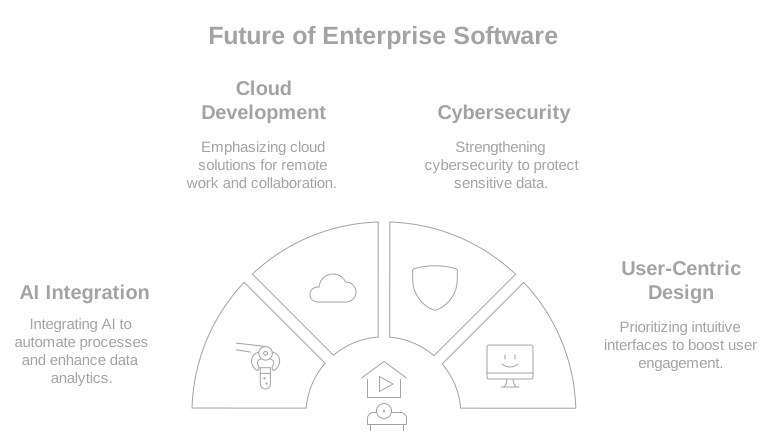
Security as a foundation, not an add-on
Because it runs directly on the user’s system, a desktop app reaches files, credentials, and sensitive resources. That privilege raises the bar: what would be a contained risk on a web page can touch the whole machine on the desktop. So security stopped being a layer tacked on at the end and became an architectural decision from the first line of code. Cybersecurity, done right, is not a module, it is a way of building.
Practices that once looked optional are now the acceptable minimum. Signed updates guarantee the user installs legitimate software and not a tampered version. End-to-end encryption protects information both at rest and in transit. Scoped permissions ensure the application asks only for what it needs, and nothing more. On top of that come periodic audits, which uncover vulnerabilities before an attacker does. Regulatory frameworks such as the GDPR in Europe, moreover, turned respect for data into a legal obligation with real financial consequences.
- Signed updates: every release is verified, so no one can slip malicious code into the distribution channel.
- End-to-end encryption: sensitive data travels and is stored protected, even if someone intercepts the communication.
- Scoped permissions: the app reaches only what is essential, shrinking the attack surface.
- Periodic audits: regular code reviews that catch flaws before they turn into breaches.
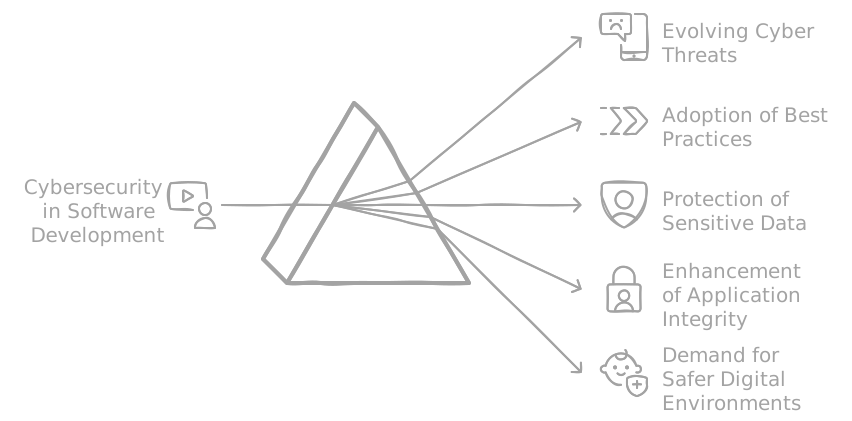
“Security is not a product, but a process.” Bruce Schneier, one of the most respected cryptographers in the world, said it, and it sums up why protecting an application is an ongoing task and not a box ticked once.
Artificial intelligence inside the application
The latest big wave redrawing the desktop is artificial intelligence built into the tool itself. It is no longer just about running commands, but about the application understanding the user, anticipating needs, and automating the repetitive. Editors that enhance images with one click, assistants that draft or summarize, and features that learn from how you work are all examples of a shift that has stopped being science fiction.
The value of this integration is concrete. Smart automation frees the user from mechanical tasks so they can focus on what requires judgment. Natural language processing makes it possible to dictate, ask, and search with ordinary words instead of menus. And predictive analytics leans on history to suggest the next step before it is requested. Implemented well, AI does not replace the person: it amplifies what they can accomplish.
- Smart automation: the app handles the repetitive and leaves the user the work that takes judgment.
- Natural language: interacting with the tool by speaking or writing the way you would to a colleague.
- Predictive analytics: suggestions based on past behavior that speed up decision-making.
- AI-assisted security: real-time detection of anomalous behavior as an extra layer of protection.
“People don’t know what they want until you show it to them.” Steve Jobs put it that way, and it precisely describes the effect of good AI in software: it opens possibilities the user did not even know they were looking for.
In short
The desktop isn’t going away: it’s modernizing. It’s built with web technologies, runs the same on any system, lives connected to the cloud, treats security as a foundation, and adds artificial intelligence where there used to be only buttons. For anyone who depends on professional software, ignoring these trends means being left with tools that age while the competition moves ahead.
At LabWeb we develop desktop applications that combine local power with modern connectivity: cross-platform, secure by design, and built to scale. If your team needs a custom tool that works without limits on any platform, we are exactly the kind of partner that turns it into reality.